Skip to content
k7btd App / Sports
LIVE LOBBY

k7btd — Live Tables, Slots and Cricket Markets in One Place

Switch between live dealer tables and self-paced slots without leaving the lobby, then check cricket betting markets for IPL and BPL fixtures when the mood shifts. Your bKash, Nagad, Rocket and Upay wallet options sit in the account panel before you place a single chip.

bKash Nagad Rocket
Browse games
CONTENT / 01

Choose Between Live Tables and Self-Paced Games

The clearest choice in the lobby is between live dealer tables and slot games — they serve different session types, and understanding that difference helps you navigate faster. Live casino tables — baccarat, roulette, card games — have a real dealer on stream, a shared round pace and a social dimension that slot games don't have.

  • Live Casino Tables

    Live tables stream from studio feeds and run at the dealer's pace, not yours. Baccarat, roulette and card game formats are grouped under the live casino tab. The video quality adapts to your connection speed automatically.

  • Slot Rooms

    Slots are fully self-paced: start a round, pause, adjust your bet size between rounds and exit mid-session without any loss of game state. The slot catalogue covers titles from all six studios.

TRUST / 03

Your Account Panel Gives You Full Command

Before you open a table or spin a slot, your account dashboard puts session controls, wallet limits and transaction records in one scrollable view. From that single scrollable view you can review how long your current session has been running and check the precise timestamp on every past transaction without navigating away from the dashboard. If you want to adjust the boundaries the account operates within, the controls are grouped by category — session behaviour, wallet movement and notification preferences — so each type of setting is easy to locate. Changes you save take effect according to the processing window stated next to each control, meaning you always know when a new boundary becomes active. The transaction record itself is filterable by date range, which is useful when you need to reconcile a specific week or month against your own records.

  • Session History

    Your full deposit and withdrawal record is visible inside the account panel the moment you log in. Each transaction line shows the method — bKash, Nagad, Rocket or Upay — the amount and the timestamp, so you can track eve

  • Wallet Verification

    Rocket and Upay withdrawals move at the pace Bangladeshi members already know from daily mobile banking. Verify your wallet method once inside the account settings tab, and the same verified number handles both deposits and withdrawals.

  • Session Boundaries

    Set your own session limit from the account control panel before you start playing. The control sits above the wallet section and lets you define how long your current session runs.

  • Support Route

    Bangladesh account support is available through the live chat icon at the bottom of every lobby page. Open the chat from your mobile browser or desktop and describe your issue in English; the support team handles wallet verification queries, account access questions and game-r

Learn more →
HELP AND CONTACT

Reach the k7btd Support Team on Your Terms

Account questions come up at different times — mid-session on mobile, late at night on desktop, or while waiting for a withdrawal to clear. The support routes below are the ones we keep open for Bangladesh members. When you open a support conversation, having your registered wallet number and the approximate time of the transaction you are asking about will help the team locate your account record faster. For questions that are not urgent, the written contact route creates a message thread you can return to and read in your own time, which is useful when a resolution involves more than one step. If a question involves your account panel settings rather than a transaction, navigating to that panel before you contact support means you can describe exactly what you are seeing, reducing the back-and-forth needed to reach a resolution.

  • Live Chat

    The live chat button stays fixed at the bottom of every page — lobby, account panel and game rooms included. Tap it from your mobile browser to open a direct line to the support team.

  • Help Centre

    The help centre sits under the support menu in the footer and covers account setup, wallet verification for bKash and Nagad, withdrawal steps for Rocket and Upay, and game access by region.

  • Account Help

    If your account shows a verification hold or a wallet mismatch, the account help section inside your dashboard shows the exact document or step needed to clear it.

K7BTD
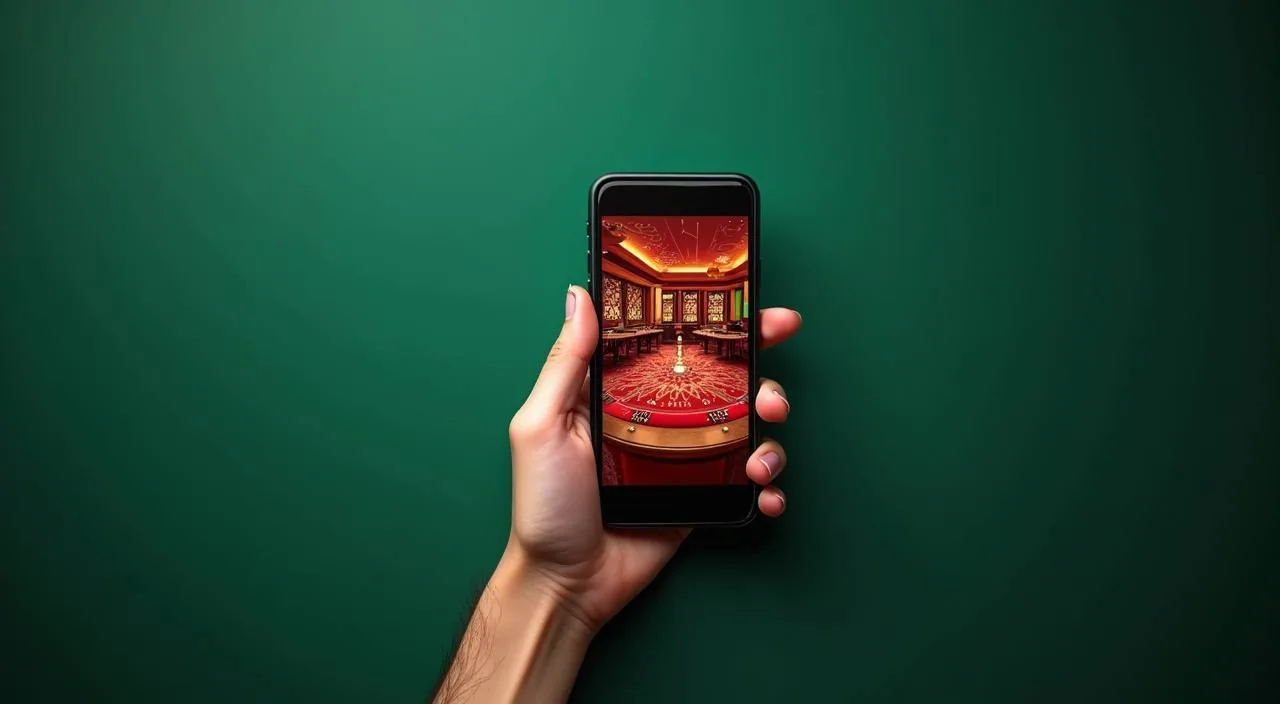
Mobile casino lobby
Popular Live Slots
Cricket Betsport Roulette Fireball Bangladesh Green Wheel 502
MOBILE LOBBY

Built for phones, clear on desktop

Cards, tables, FAQ and policy pages stay easy to read on smaller screens.

  • Quick categories
  • Mobile first
  • Access
App
CONTENT / 03

The Full Lobby Runs in Your Mobile Browser

k7btd is built for the way Bangladesh members actually play — on a phone, often on the move, switching between the lobby and the account panel in the same session. Open your mobile browser, navigate to k7btd. The mobile lobby loads the same sections available on desktop — live tables, self-paced games, sportsbook, and your account panel — without requiring you to switch to a separate version of the site. If your connection drops mid-session, refreshing the browser tab returns you to the lobby with your session state intact, provided you are still signed in. Landscape orientation can give a wider table view for live dealer games, while portrait works well for navigating the lobby and account panel.

  • Browser Play

    No app download is needed. Open k7btd in Chrome, Firefox or Safari on Android or iOS and the lobby renders fully.

  • Account Panel on Mobile

    The full account control panel — transaction history, wallet method settings, session boundaries — is accessible from the mobile layout without collapsing any features. Tap the account icon in the top-right corner of the mobile lobby to open the panel.

  • Cricket Markets on Mobile

    The sportsbook section is reachable from the bottom navigation bar in the mobile layout. Scroll to the cricket category to see available IPL, BPL and international cricket betting markets. Availability depends on your local law and eligible region, as shown in your account.

GETTING STARTED STEPS

How to Open Your Account and Reach the Lobby

The account journey from the login page to the live lobby takes a few minutes when you have your mobile wallet details ready. On the registration form, the fields are arranged in a fixed order: contact detail, then wallet number, then account credentials. Completing them in that order without skipping reduces the chance of a validation error before submission. Once your account is confirmed, signing in from the same device in future sessions is faster because your browser can retain the login field.

  1. Open the Account Page

    Tap the account-creation button on the k7btd home screen. The form asks for your email address, a password and your preferred mobile wallet method — bKash, Nagad, Rocket or Upay. Fill in each field exactly as your wallet is registered; a mismatch at this stage creates a verification hold later.

  2. Verify Your Email

    After submitting the registration form, a confirmation link goes to the email address you entered. Open that email — check the spam folder if it doesn't arrive within a few minutes — and tap the confirmation link. This step activates your account and lets you reach the login screen.

  3. Log In and Open the Wallet Panel

    Use your registered email and password to log in from the k7btd home screen. After login, the lobby loads with your account panel accessible from the top-right icon.

  4. Make Your First Deposit

    With your wallet verified, the deposit screen shows the minimum and maximum amounts for your chosen method alongside the field to enter the transfer amount. Initiate the transfer from your bKash, Nagad, Rocket or Upay app as instructed on screen — the reference number shown in the deposit form is required for the tr

  5. Choose Your Game Mode

    From the lobby home, the navigation bar separates live casino, slots and sportsbook into distinct sections. Pick live casino to see dealer table rooms — baccarat, roulette and card tables — or go to slots to browse game tiles from Habanero, Pragmatic Play, Microgaming, JDB, Spadegaming and CQ9.

MEMBER DESK / 06

Offers, support and account controls

01

Game lobby

02

Payment guide

03

Support

LOCAL PAYMENTS

bKash, Nagad, Rocket and Upay — Deposits and Withdrawals

Every payment method on k7btd is one Bangladesh members already use for daily transactions — no new wallet app to install, no unfamiliar process to learn. Your wallet number is verified once inside the account panel, and that same verified number handles both deposits and withdrawals going forward.

  • bKash

    bKash deposits start from the wallet section of your account panel. The deposit screen generates a merchant number and reference code — open your bKash app, enter the merchant number, set the amount and paste the reference code in the note field exactly as shown.

  • Nagad

    Nagad works through the same deposit flow as bKash: the account panel generates the merchant details and reference number, you initiate the send from your Nagad app, and the transaction appears in your account history once it clears.

  • Rocket

    Rocket is the mobile banking service many Bangladesh members use for everyday transfers, and the same familiarity carries into deposits and withdrawals on k7btd. The deposit instruction screen shows the Rocket number to send to along with the reference to include.

  • Upay

    Upay is available as both a deposit and withdrawal method for verified accounts. The deposit process mirrors the other mobile wallet flows — account panel generates details, you send from the Upay app with the reference included.

Banking
GAME SPOTLIGHT

From Bangladesh Green Wheel 502 to Aviator Mobile Play

The lobby isn't a single flat catalogue — it's organised so you can navigate by what kind of session you want. Coming back for a quick round on mobile?

  • Aviator Mobile Play

    A crash-format game that runs in the mobile browser without any additional plugin. The round mechanic is visible on screen at all times: a multiplier climbs and you choose when to collect. It's short by design, which suits a session between other tasks.

  • Bangladesh Green Wheel 502

    A wheel-format title with a local flavour in the naming and design. It sits in the live games section of the lobby alongside other dealer-hosted titles. The game streams from a studio feed with a live host; you see the wheel outcome in real time.

  • Teen Patti Flash

    Teen Patti Flash is a card game variant that runs faster than a standard table session. It's grouped with the table games in the lobby and draws from the same card game family that Bangladesh players are already familiar with.

DISCOVER / 01

Choose your game

Full lobby
GAME NETWORK
Habanero
Pragmatic Play
Microgaming
JDB
Spadegaming
CQ9
CONTENT / 04

k7btd lobby studios

The k7btd lobby carries content from Habanero, Pragmatic Play, Microgaming, JDB, Spadegaming, CQ9. To check the studio, rules or features of one specific game, open that game card or the published information panel.

  • Habanero

  • Pragmatic Play

  • Microgaming

  • JDB

  • Spadegaming

  • CQ9

ACCOUNT DESK

Account information

Review current account information after signing in.

Login
PLAYER INDEX / 07

Game and Lobby Terms Explained

Some terms in the lobby and account panel need a plain explanation, especially for members moving between game types or using the sportsbook alongside the casino.

Player guide and glossary
  • What does RTP mean in the slot lobby?

    RTP stands for Return to Player — a percentage that describes the average payout rate of a slot game over a very large number of rounds. It's a long-run statistical figure, not a round-by-round guarantee.

  • What is the difference between a live casino table and a slot game?

    A live casino table has a real dealer on a video stream — the round pace is set by the dealer, and all players at that table share the same outcome. A slot game is fully self-paced: you control when each round starts, how long you play and when you stop.

  • What does 'volatile' mean when describing a slot game?

    Volatility describes how a slot game distributes payouts — high volatility means larger potential payouts come up less frequently, while low volatility means smaller amounts come up more regularly.

  • What is a crash game like Aviator Mobile Play?

    A crash game displays a multiplier that climbs from the start of each round. You choose when to collect your stake multiplied by the current value. If the multiplier crashes before you collect, the round ends without a payout.

  • What does 'verified wallet' mean in the account panel?

    A verified wallet means you've confirmed ownership of a specific bKash, Nagad, Rocket or Upay number inside the account settings. Verification involves entering your wallet number and completing the confirmation step shown in the form — the exact step depends on your account region and the wallet provider.

  • What is the sportsbook section on k7btd?

    The sportsbook is a separate section of the lobby from the live casino and slot rooms. It offers betting markets on sports fixtures — cricket is the main category for Bangladesh members, covering IPL, BPL and international matches. Football, kabaddi and other categories are also available.

  • What does 'eligible region' mean on the account page?

    Eligible region refers to the geographic area from which your account was created and from which access is permitted under the platform's terms. Some game types, payment methods or information are available only in certain regions.

Full glossary
LOBBY / 02

One mobile lobby, distinct game areas

Cricket Betsport Sports Cricket Betsport Access → Roulette Fireball Live Roulette Fireball Access → Bangladesh Green Wheel 502 Slots Bangladesh Green Wheel 502 Access → Football Agility Sports Football Agility Access → Aviator Mobile Play Slots Aviator Mobile Play Access → Teen Patti Flash Slots Teen Patti Flash Access →
EXPLORE FURTHER / 04

Explore detailed guides

Local lobby check

QUICK ANSWERS

Frequently asked questions

These are the questions we see most often from returning members in Bangladesh — covering account setup, payment methods, game navigation and mobile access. Each answer describes the process as it works on k7btd specifically, not a generic industry description.

Read FAQ →
How do I deposit using bKash on k7btd?

Log into your account and open the wallet section in the account panel. Select bKash as your deposit method. The deposit screen generates a merchant number and a reference code — copy both.

Can I use Rocket for withdrawals as well as deposits?

Yes. Rocket is available for both deposits and withdrawals on k7btd. You need to verify your Rocket number in the account settings panel before the first withdrawal. The verification form shows the exact step required for your account.

Do I need to download an app to play on mobile?

No download is needed. Open k7btd in your mobile browser — Chrome or Firefox on Android, Safari on iOS — and the full lobby loads: live casino tables, slot games, sportsbook and your account panel. All features available on desktop are accessible from the mobile browser.

Which studios supply the slot games on k7btd?

The slot catalogue on k7btd is supplied by six studios: Habanero, Pragmatic Play, Microgaming, JDB, Spadegaming and CQ9. You can filter the slot lobby by studio name to browse only one provider's titles. Each game tile shows the studio name below the game thumbnail.

How do I find cricket betting markets on k7btd?

Open the sportsbook section from the main lobby navigation bar — it's the third tab after live casino and slots on both mobile and desktop. Inside the sportsbook, select the cricket category. Available matches — IPL, BPL and international fixtures — appear as listed events with market types shown when you tap or click each one.

What should I do if my deposit doesn't appear in my account?

First, check your wallet app transaction history to confirm the transfer was sent and completed. Then open the account panel on k7btd and review the transaction history — deposits that are processing sometimes show a pending status before the final entry.

Is k7btd accessible from Bangladesh?

Access to k7btd depends on your local law and eligible region. The account creation page checks your region automatically and shows any applicable notice at that point. If access is available in your area, you can complete registration, verify your wallet method and reach the full lobby.

How do I contact support if I have a problem with my Nagad withdrawal?

Open live chat from any page on k7btd — the chat icon is fixed at the bottom of the screen on both mobile and desktop. Describe the issue: include your Nagad number (without sharing sensitive PIN details), the withdrawal amount and the date you submitted t

READY WHEN YOU ARE

k7btd game lobby

Access may be available only where local law permits.

Register Login